
Summary
This month’s releases focused on new user-facing features to improve the efficiency of using GamePlan, along with continued platform work behind the scenes.
New features include Resource Categories for easier management of large resource lists, flexible Recurring Holidays for multi-year schedules, enhanced Microsoft Project exports with resource costs, and the ability to convert between Tasks and Meetings as plans evolve. We also continued work on subscription management to support upcoming self-serve licensing and billing features.
Resource Categories
GamePlan now supports Resource Categories for both People and Equipment, making it easier to organize and work with large resource lists.
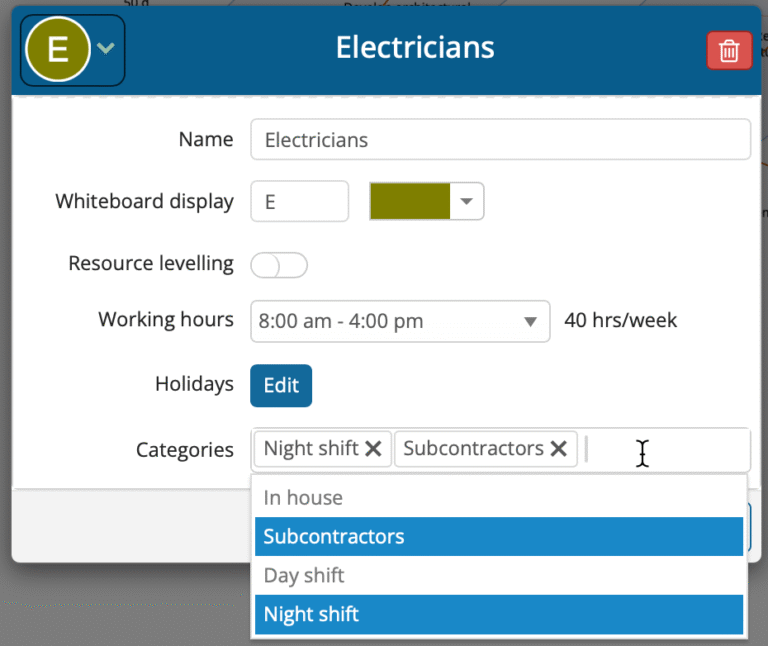
A new Categories field has been added to the resource editor. Categories are created simply by typing a name and pressing Enter (or selecting the add option), and existing categories are available from a dropdown for quick reuse. Resources can be assigned to any number of categories.
In the Icons Panel, resources are automatically grouped by category within the People and Equipment sections. Each category group can be expanded or collapsed with a single click and reordered using drag-and-drop, allowing teams to keep their most important categories at the top. Categories are also searchable. Selecting a category instantly scrolls the Icons Panel to show the category and its resources.
For customers managing projects with many crews, trades, or equipment types, Resource Categories make it faster to find, organize, and schedule the right resources.
Recurring Holidays
GamePlan now supports Recurring Holidays, making long-term schedules significantly easier to manage.
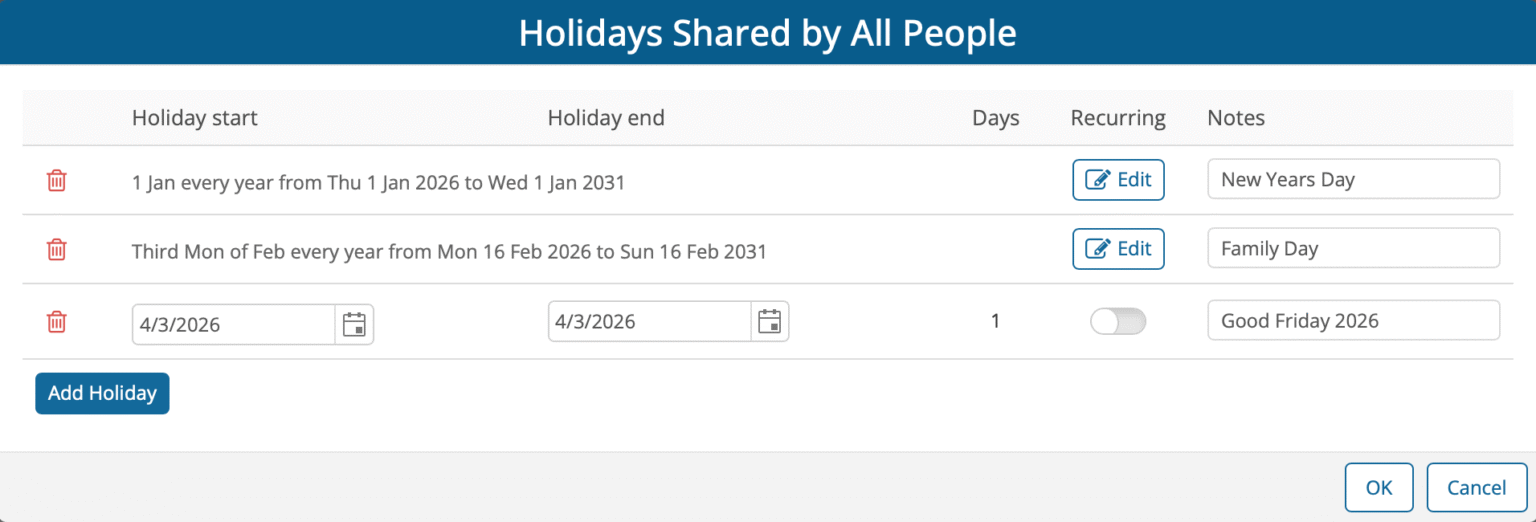
Previously, holidays had to be entered individually for each year. For multi-year schedules, this often meant creating dozens of holiday entries just to account for the same dates repeating annually. With recurring holidays, holidays that follow a pattern only need to be defined once, along with their recurrence rules.
Holidays can recur yearly, monthly, or weekly. Recurrence rules are highly flexible. For example, a holiday can be defined as occurring on a specific date each year, or on a relative pattern such as the third Monday of February. This makes it easy to model holidays like Family Day, as well as more complex shutdown patterns such as the last Friday of every month.
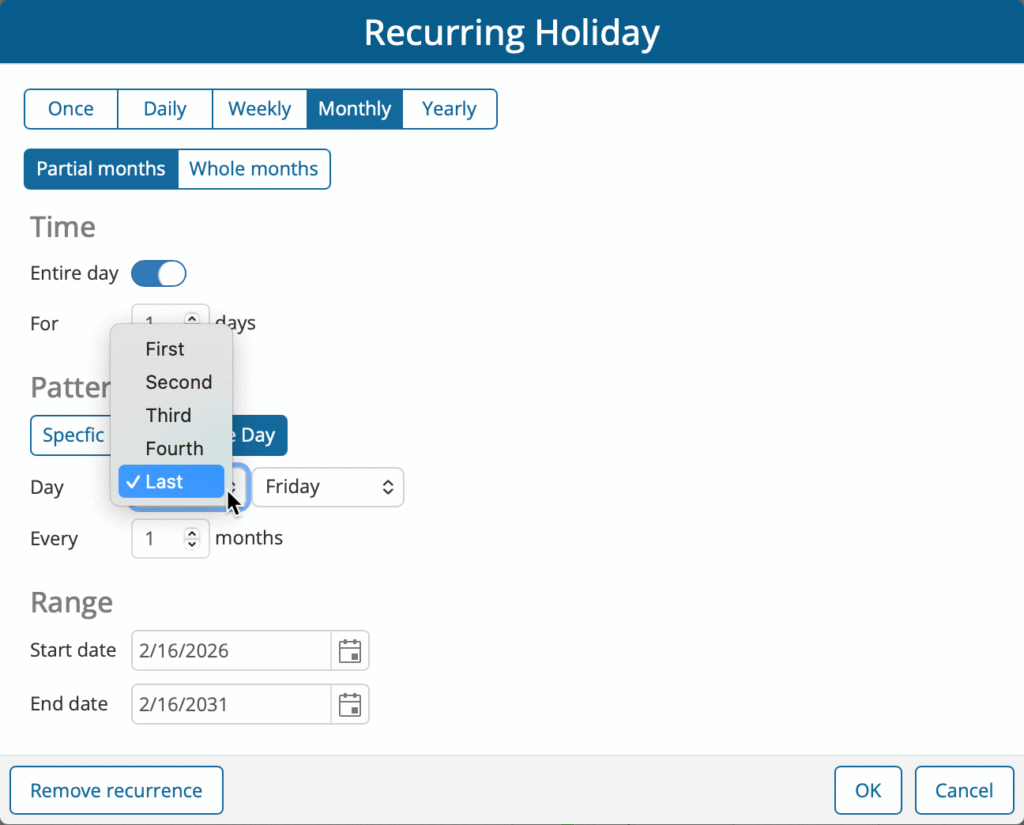
Recurring holidays can be applied at both levels:
The global holiday calendar, which affects all resources
Individual resource calendars, allowing different crews or equipment to observe different non-working days
For customers building long-term schedules, recurring holidays eliminate repetitive setup, reduce errors, and make it far easier to maintain accurate schedules as projects extend over multiple years.
Microsoft Project Export Enhancements
GamePlan’s Microsoft Project export has been enhanced to include resource assignments and resource unit costswhen exporting a schedule. This ensures that labour-based costs associated with each task are carried through accurately into Microsoft Project.
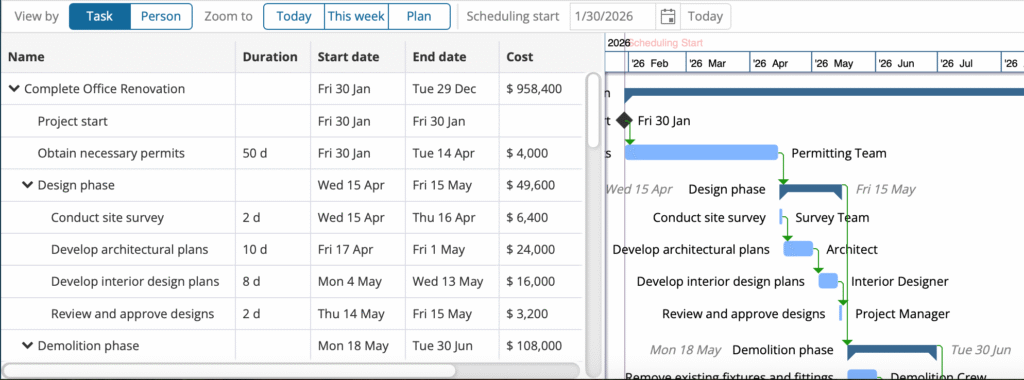
Exported schedules preserve task names, dates, durations, assigned resources, and resource unit costs, resulting in a Microsoft Project file that closely reflects the schedule and cost totals created in GamePlan.
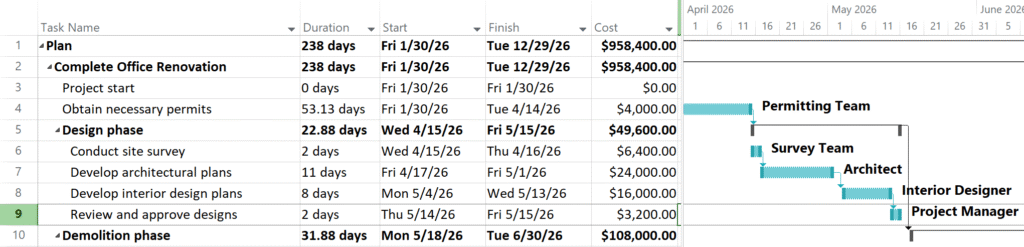
This makes Microsoft Project a powerful companion to GamePlan for users who want to leverage Project’s reporting, dashboards, or alternative Gantt chart presentation, while continuing to use GamePlan for fast, visual schedule creation and refinement.
Convert Tasks and Meetings
GamePlan now allows Tasks and Meetings to be converted between each other, making it easier to correct or refine a schedule.
In GamePlan, Tasks represent activities defined by effort and are automatically rescheduled when a project shifts. Meetings represent activities that must occur at a fixed date and time. Meetings do not move when a project is delayed and always take priority in resource allocation. Meetings can also be set to recur.
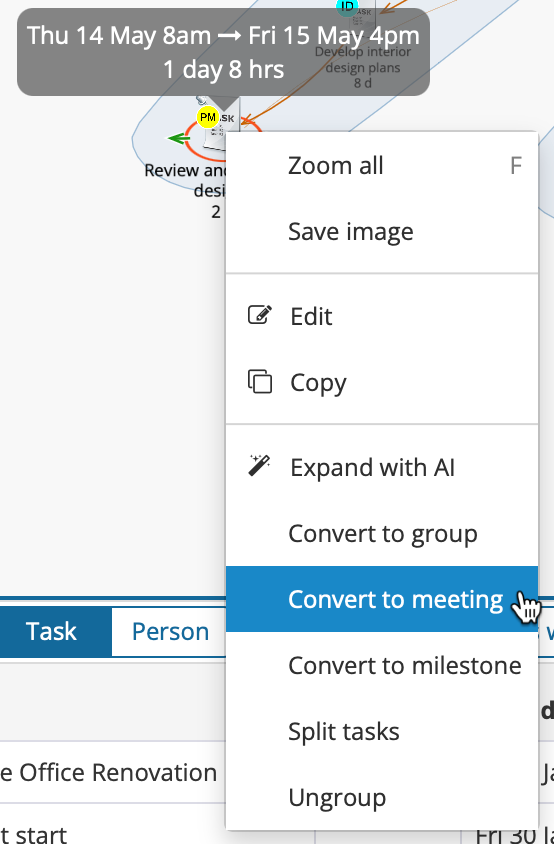
Any Task can now be converted to a Meeting using the right-click context menu. Multiple Tasks can also be converted at once by selecting them first and then choosing Convert to meeting. This makes it easy to correct schedules where an activity was initially created as the wrong type.
This feature is particularly helpful for new users who may not yet be familiar with the distinction between Tasks and Meetings, allowing them to adjust their plans without needing to recreate activities from scratch.
Subscription Management Improvements
GamePlan continues to invest in improvements to subscription and billing management, with a focus on giving users greater visibility and control.
This ongoing work will allow users to manage licenses on a self-serve basis, access their full invoice history, and opt in to have receipts automatically emailed to them. These enhancements are designed to reduce administrative friction and make it easier for teams to manage subscriptions without needing support assistance.
Much of this work is now complete and will be fully available shortly.